
Changing State
If you have two or more defined test scenarios you can easily change their state from 'enabled' to 'disabled' and vice-versa.
Note that only one test scenario can be enabled at a time.
To change test scenario state, do as follows:
1. Select the radio button in the Status column for the test scenario you want to change state;
2. Click on the "Set" button located on the right side of the the screen;
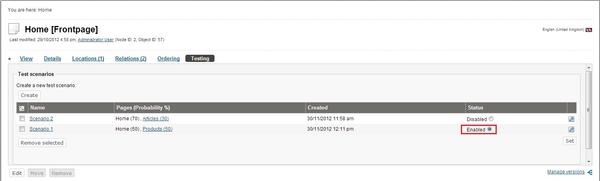
Changing Test Scenario State
Andrea Melo (07/08/2012 12:55 pm)
Andrea Melo (30/11/2012 11:27 am)
Comments
There are no comments.