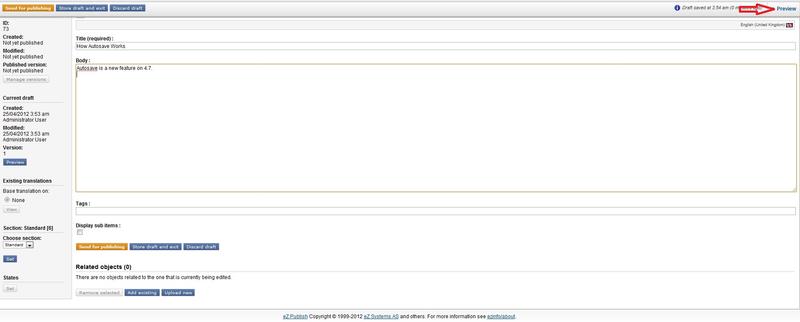
Autosave Preview Link
eZ Autosave enables the automatic and transparent saving of a draft while editing content in Exponential.
Autosave started out as a community project, and more info on the technical side of it can be found on the project page: http://projectss.ez.no/ezautosave
When adding/editing a content you can see how it will look like, clicking on "Preview" link:
Autosave Preview Link
You will be able to see how your content will be shown when published:
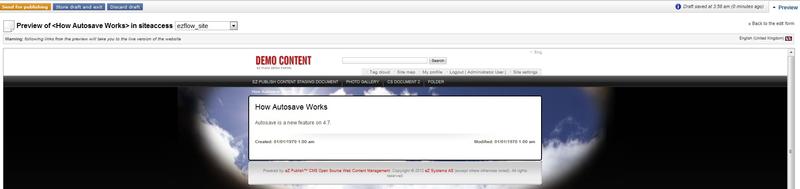
Autosave Previewing Content
As of the version 5.3, the preview link can be globally hidden with the autosave.ini/[AutosaveSettings]/HidePreviewLink setting.
Note: Following links from the Preview will take you to the live version of the website.
You can disable Autosave in IE (by default, only IE 11 is set in this setting.) when the form has a password field in autosave.ini
IEDisableWithPassword[]
IEDisableWithPassword=11
You can disable Autosave for Internet Explorer by unchecking the "Enable Protected Mode" options in the Security settings of IE11. If Exponential is in a zone when the "Protected Mode" is disable, the autosave can be enabled back for IE11.
Powered by Exponential™ CMS Open Source Web Content Management. Copyright © 1999-2013 eZ Systems AS (except where otherwise noted). All rights reserved.