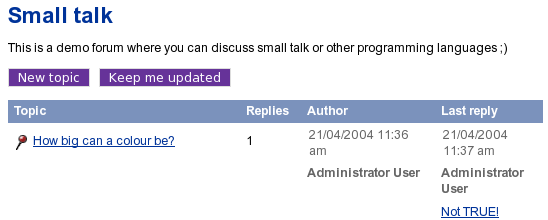
The "keep me updated" button.
Subtree notifications are available for those users who are allowed to use the "notification" module by the role/policy settings. Please refer to "Granting access to notifications" for more information about access rights. Collaboration notifications are only available when you're using the administration interface.
A user can subscribe for subtree notifications about the item that is being viewed by clicking the "Keep me updated" button. The following screenshot shows a forum from one of the standard sites.
The "keep me updated" button.
After clicking this button, the system will add a new subtree notification and show a confirmation:
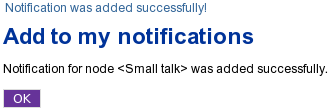
The "notification added" confirmation for users.
In the standard sites, the "Keep me updated" button is always displayed on the forum pages while other pages do not contain this button. The forum is controlled by the following templates:
Please refer to "Adding the "Keep me updated" button" for more information about adding the update button to other templates/pages.
The notification settings can be accessed regardless of the siteaccess/design that is used (as long as the permissions are ok). You can do the following to access the interface:
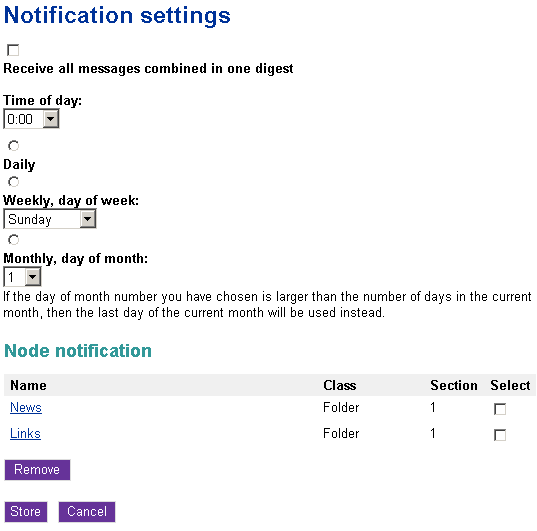
Notification settings for users.
If you no longer wish to receive subtree notifications about an object, follow these instructions to unsubscribe:
Please note that you can customize the notification settings template(s) by copying the default templates from either the standard or the admin design and changing them to suit your site.
Powered by Exponential™ CMS Open Source Web Content Management. Copyright © 1999-2013 eZ Systems AS (except where otherwise noted). All rights reserved.