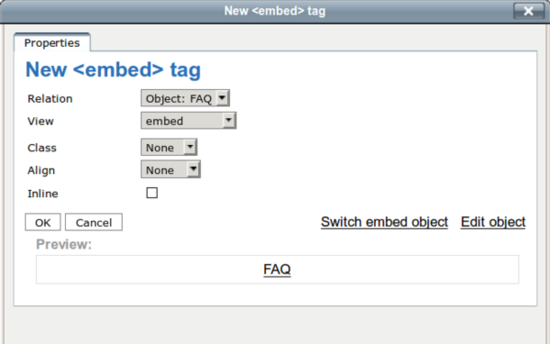
To embed objects in your content, use the "Insert/Edit object" button in the OE toolbar.
Then in the dialog box, you will have some choices regarding the embed status of your object.
You will find the View dropdown menu : you can choose which view will be used to render the object.
Default views are named : embed, embed-inline, full, line.
Note : The choice of a view will create an Exponential XML attribute to store your view setting. You can see the Exponential XML with the Disable Editor button.
When you check the Inline option, the Exponential XML tag will reflect this choice : the <embed-inline> tag will be used to store the inserted object.
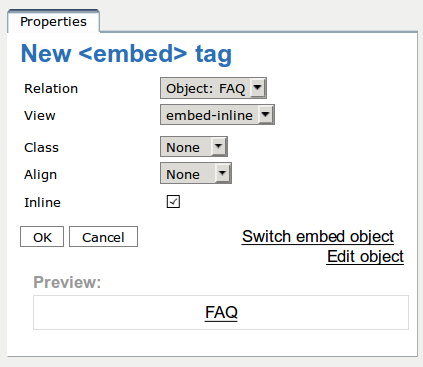
Note : The view is directly switched to the embed-inline named view, more appropriate to render an inline object.
Note: Inline elements shouldn't be aligned, yet Exponential will allow to make it possible to tweak the output (something requested by the community).
Unless you specifically want to use the alignment in that way, please ignore the option.
When choosing the rendering view, the rendering of the embedded object will be changed.
Note : the views are highly customizable and this documentation covers only the default views.
FAQ object embedded with embed default view
FAQ object embedded with line default view
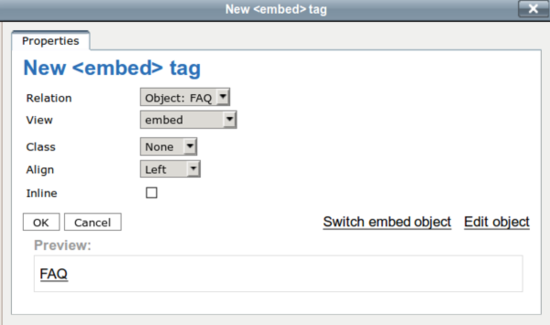
You have to keep a block element to align your object in the page. You can do it with the embed and full views. And you choose in the dropdown menu of the Dialog Bow the alignment you want to have.
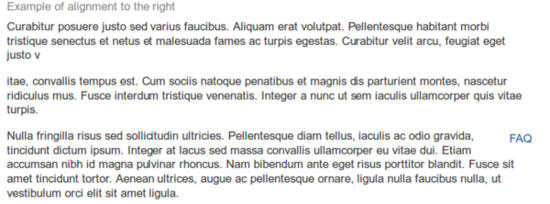
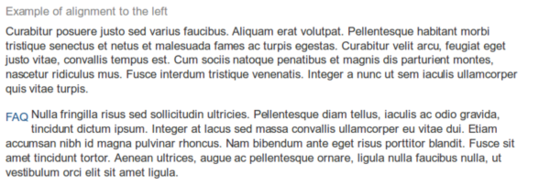
If you want to have your object in the flow of your paragraph, choose the Inline option with the checkbox. The preview shows you how the object will be rendered by the view.
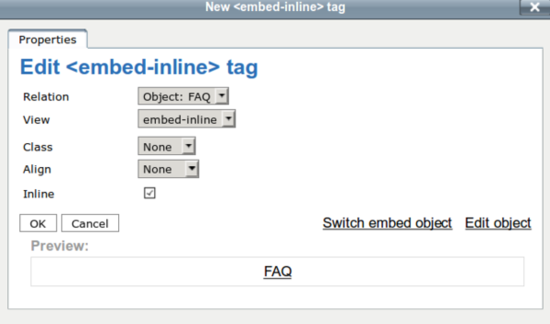
Check the inline option to insert your object in the paragraph
Note: the selected view switches to embed-inline automatically when you check the Inline option.
Disclaimer : our views are not customized and have the same rendering.



Under the hood : technical considerations
The embedded objects are stored in ez XmlTags. See the Technical Documentation Reference about XmlBlocks for further information.
Powered by Exponential™ CMS Open Source Web Content Management. Copyright © 1999-2013 eZ Systems AS (except where otherwise noted). All rights reserved.