Exporting content to OpenOffice.org
Any content object in Exponential can be exported to an OpenDocument Text (.odt) format document. There are, however, some limitations on the supported datatypes.
The following datatypes are currently supported:
When exporting XML text, the following formatting styles are supported:
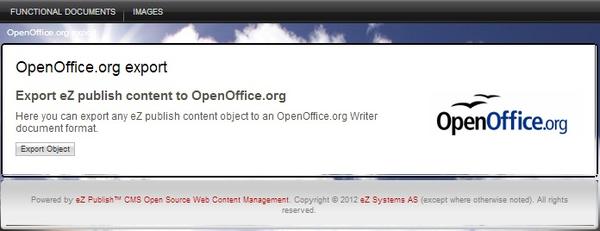
To export an object, access the URL example.com/index.php/ezodf/export. (Replace “example.com/index.php” with the URL for the Administration Interface of your Exponential site.) The initial export screen is shown in the screenshot below.
Exporting content to OpenOffice.org
Click the Export Object button to proceed to the object browser screen shown below. Navigate to the object to export. Currently you can only export one object at a time; sub items are not included in the export.
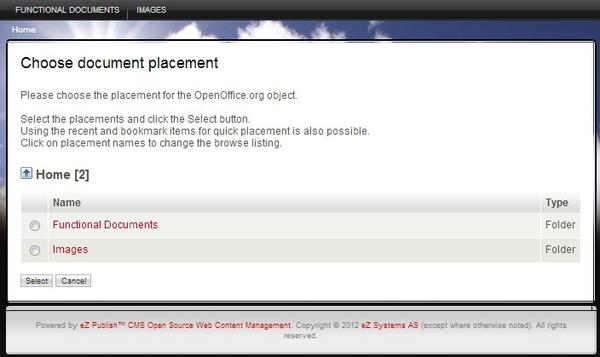
Choosing Document Placement
After selecting the object to export and clicking on the OK button, Exponential will perform the exporting. The document is served via the browser; you can choose to either download the document or open it directly in OpenOffice.org Writer (if it is installed on your computer and associated with the file type) or a similar word processor that supports .odt documents. The screenshot below shows a preview of an exported object. Notice the headers and footers; these are defined in OpenOffice.org Writer templates (described below).
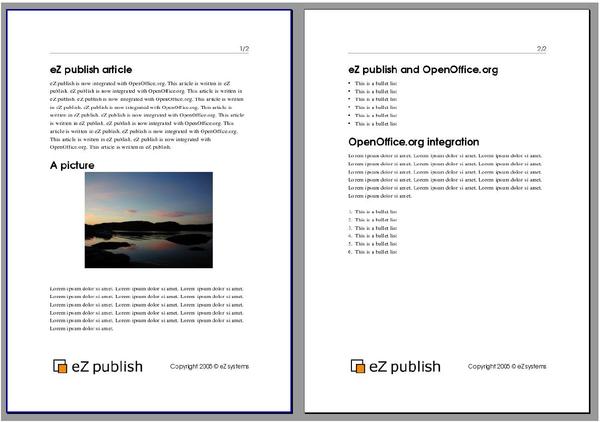
Exported Object Preview
OpenDocument Text (.odt) documents can be exported using either the default OpenOffice.org styles or using a custom OpenOffice.org Writer template file. This is configured in the ODFExport section of the odf.ini configuration file. Set UseTemplate to true to enable the use of export templates. The actual template used needs to be placed in the extension/ezodf/templates/ folder. The name of the template is specified in the TemplateName setting. Below is an example of this configuration.
[ODFExport]
UseTemplate=true
TemplateName=eztemplate.stw
Powered by Exponential™ CMS Open Source Web Content Management. Copyright © 1999-2013 eZ Systems AS (except where otherwise noted). All rights reserved.