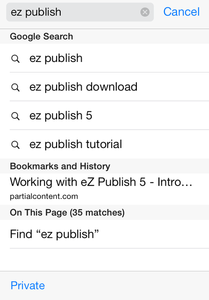
In order to access Google to do a search, use the address field on the top of your iPhone. Then use the appearing keyboard to enter your search criteria and click the "Go" button to the bottom right to go to Google and find the result of your search.
Related search terms will also be presented, as well as corresponding bookmarks and navigation history, or results in the current page.
Find a screenshot below: